

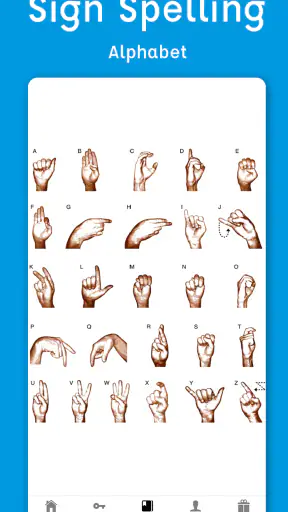
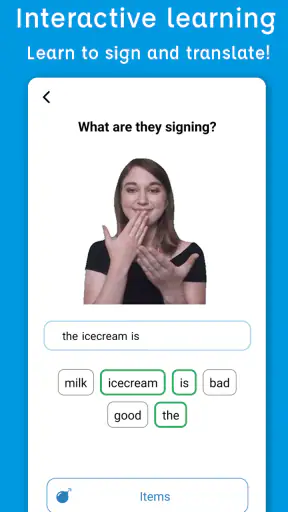
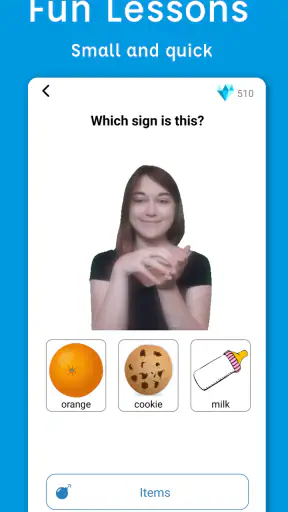
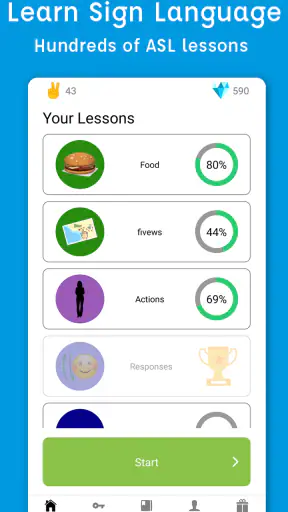
I approached Sign Language ASL Pocket Sign as a practical learning tool rather than something to browse casually for a few minutes. Developed by MobiReactor, this free Education app focuses on American Sign Language through video lessons and a dictionary. That combination matters because learning ASL requires both a guided path and a quick way to check an unfamiliar sign. In my experience, Pocket Sign is most useful when I treat it as a small daily practice space, not as a replacement for a live teacher or real conversation.
The app is available to an Everyone audience, runs on Android 7.0 and later, and has reached over a million installs. Its average rating is 4.8 from around 33 thousand ratings, which matches my general impression: it is approachable, focused, and easy to start using. The free entry point makes it simple to test the learning style before deciding whether the extra paid content is worthwhile.
How I built a useful everyday learning routine
Starting with lessons instead of random dictionary searches
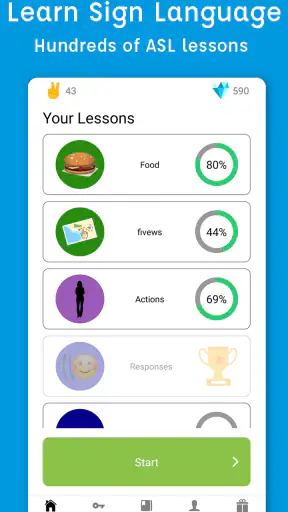
My first recommendation is to begin with the structured video lessons. A dictionary is tempting because it gives an immediate answer, but looking up isolated signs can leave you with a collection of movements and no sense of how they fit together. The lesson format gives the app a clearer teaching role. I used the dictionary as a companion: first I followed the lesson, then I checked individual signs again when I wanted to remember a handshape or movement.
This simple order makes a noticeable difference. A learner who searches every word independently may remember the result briefly but miss the rhythm and context of a phrase. By contrast, a lesson creates a small group of related material to revisit. I found that useful for building recognition, especially when I returned to an earlier topic after a break rather than constantly pushing forward.
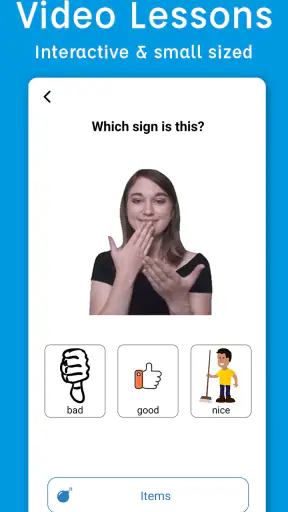
The video approach is also better suited to ASL than a still image or written description. A photograph can show where the hands are, but it cannot fully communicate motion, direction, or timing. I still had to watch carefully, pause mentally, and compare my own movement with the demonstration. Pocket Sign does not remove that work, but it presents the kind of visual reference ASL needs.
A realistic routine for a busy day
Imagine having ten minutes before leaving home. I would open a lesson, watch the demonstration once without trying to copy it, then replay it while focusing on the handshape. After that, I would practice a small selection in front of a mirror or phone camera. The final step would be opening the dictionary to revisit the signs that felt least natural. This is more productive than watching several lessons passively.
On another day, I might use the dictionary first because I needed to remember a sign for a conversation or class. In that situation, I would not stop after finding the entry. I would watch it several times, practice the movement slowly, and then return to a related lesson. That turns an urgent lookup into a learning opportunity instead of allowing the dictionary to become a permanent crutch.
The most important habit is consistency. Short sessions make more sense here than occasional long sessions because visual language depends on repeated recognition. Pocket Sign is convenient for that pattern: it is free to begin, its content is centered on one subject, and the video format makes a quick review possible. The app cannot make practice automatic, but it lowers the effort needed to start.
Why the dictionary is more valuable after a lesson
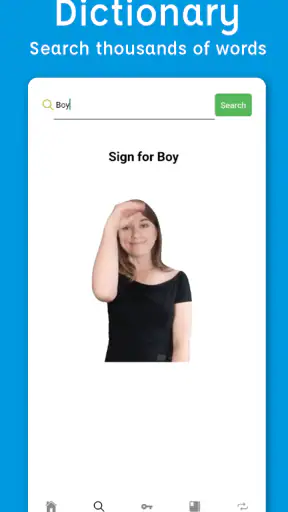
The dictionary is not only for complete beginners who do not know where to start. I found it particularly useful after a lesson, when I wanted to separate a confusing sign from the surrounding material. That is a less obvious workflow than simply searching whenever curiosity appears. It helps identify exactly what needs attention instead of repeating an entire lesson without a clear goal.
I also recommend using the dictionary to test memory. Before searching, I tried to perform the sign from memory and only then checked the video. If my movement differed, I watched again and corrected one detail at a time. This makes the lookup an active recall exercise. It is a small change, but it prevents the app from becoming a passive video library.
Checking the app before committing to a longer plan
The app is free to download, while in-app purchases range from $5.99 to $129.99 per item. That wide range means I would not make a purchase immediately. I would first use the free material long enough to decide whether the lesson style suits me, whether I can maintain a routine, and whether the dictionary fits the way I study. A paid option is easier to judge after I understand my own learning needs.
This is especially important for someone comparing Pocket Sign with a class, a book, or another ASL resource. A purchase may make sense for a learner who wants more guided material inside the same app, but the app should not be treated as a substitute for feedback from a fluent signer. If the goal is conversational confidence, the best results will come from combining digital practice with opportunities to communicate with people.
Settings and preparation that improve practice
Before settling into a routine, I would check the available settings and playback controls rather than accepting the default experience without thought. Video learning depends heavily on how comfortably you can see the demonstration. A larger display, a stable viewing position, and a quiet environment are more important than rushing through content. If a lesson feels difficult, the first adjustment should be the viewing setup, not an assumption that the material is beyond reach.
I also found it useful to decide in advance whether a session would focus on understanding or performance. During an understanding pass, I watched the video without stopping and tried to notice the overall movement. During a performance pass, I slowed myself down and concentrated on one component at a time. Mixing these goals constantly can make a short session feel confusing, while separating them gives each replay a purpose.
Where playback options allow it, slower viewing can help with a new sign, but I would not practice permanently at a reduced pace. Slow motion is a microscope, not the final skill. After inspecting the movement, I returned to normal viewing and tried to recognize the sign at a natural rhythm. This prevents the learner from becoming comfortable only with an artificial speed.
Using repeatable shortcuts without inventing complexity
Experienced use of Pocket Sign does not require complicated tricks. My most effective shortcut was creating a repeatable sequence: lesson, focused replay, dictionary check, then recall without looking. Because the sequence stays the same, I spend less time deciding what to do next. The app becomes a tool inside a routine rather than the routine itself.
Another useful pattern is to keep a very small personal list outside the app, such as a note with signs that repeatedly cause trouble. I would not copy large amounts of content. I would record only the topic or word I need to revisit, then use Pocket Sign to confirm the movement during the next session. This avoids endless searching and makes progress visible without pretending that recognition equals mastery.
I also recommend alternating familiar and unfamiliar material. A session made entirely of new signs can be tiring, while a session made only of easy signs creates false confidence. I would review a few known signs first, study one new group, and finish by testing the older material again. That pattern gives the hands a warm-up and makes it easier to notice whether a sign is genuinely remembered.
What Pocket Sign does better than common alternatives
Compared with a printed ASL book, Pocket Sign has an obvious advantage: movement is demonstrated rather than described or frozen in an illustration. That makes it more practical for checking direction and flow. Compared with searching for individual videos on a general video platform, the app offers a more focused learning environment, with lessons and a dictionary built around the same subject.
Those alternatives still have their place. A book can be easier to annotate and compare across pages. General video platforms may offer broader cultural discussion, signing variations, longer explanations, or real conversations. A live course can provide correction and interaction that an app cannot. Pocket Sign sits between these choices: it is more guided than random searching and more visual than a book, but less interactive than learning with another person.
That middle position is its real strength. I would recommend it to someone who wants a clear first step, a convenient reference, and enough structure to practice independently. I would be more cautious about recommending it as the only resource for someone preparing for professional interpreting, advanced fluency, or a situation where precise feedback is essential.
Where the learning experience can become frustrating
Video lessons are helpful, but they also demand attention. If you are studying in a crowded place, watching a sign on a small screen, or multitasking, you may absorb much less than you expect. The app is not difficult to open, but effective use requires visual concentration. That is a limitation of the format as much as of Pocket Sign itself.
The dictionary can also encourage dependence. It is satisfying to find a sign instantly, but repeated searching without recall practice creates recognition without reliable production. I had to impose my own rule: search, watch, close the reference mentally, and try again. Learners who want an app to track every aspect of progress or provide personal correction may find this approach too hands-off.
There is also a difference between learning signs and learning ASL as a living language. Vocabulary is only one part of communication. Facial expression, body movement, grammar, regional variation, and cultural understanding all matter. Pocket Sign can support the first stage of that journey, but it should be paired with broader learning when those areas become important.
Who should use it, and who should choose something else
I think Pocket Sign is a strong fit for curious beginners, family members learning basic communication, students who want a portable review tool, and anyone who learns best by watching rather than reading instructions. It also suits people who prefer a calm, self-directed pace. The Everyone rating makes it approachable for a broad audience, although younger learners will still benefit from an adult helping them form good practice habits.
I would skip it as a primary solution if you need live conversation, detailed correction, or a formal curriculum with an instructor. I would also hesitate if you know you rarely practice independently. A large lesson library cannot help much when the real obstacle is maintaining a routine. In that case, a class, study partner, or scheduled group may be a better first investment.
People who already sign comfortably may find the beginner-oriented structure less valuable, unless they specifically want a quick dictionary or a way to help someone else learn. For advanced users, the app is more likely to be a reference companion than a complete course. That distinction keeps expectations realistic and makes the app easier to judge fairly.
Version, cost, and long-term value
The current version is 3.2.8, and the app has been available since June 5, 2020. I mention that because Pocket Sign feels like an established learning product rather than a newly launched experiment. Still, version numbers alone do not determine whether it will suit you. The important question is whether its lesson-and-dictionary workflow matches how you actually study.
Since the app itself is free, the initial decision is low risk. I would use that opportunity to test three things: whether the demonstrations are easy for me to follow, whether I return to the app without forcing myself, and whether the dictionary helps me repair mistakes rather than merely answer questions. Only after those checks would I consider an in-app purchase. The higher end of the purchase range makes deliberate evaluation particularly sensible.
For long-term value, I would measure progress by what I can recognize and produce without opening the app. If I still need to watch every sign immediately, I am using Pocket Sign as a prompt, not yet as a learning system. That is not a failure, but it shows where I need more repetition or human practice. The app works best when it gradually becomes less necessary for familiar material.
My verdict after making the workflow repeatable
Pocket Sign succeeds because it keeps two useful learning modes together: guided video lessons for building a path and a dictionary for solving specific problems. I liked being able to move from a lesson into targeted review without changing tools. That makes it easier to form a habit and reduces the scattered feeling that often comes from collecting unrelated online resources.
Its limitations are just as clear. It cannot watch my hands and correct every mistake, it cannot replace real interaction, and it will not turn occasional browsing into fluency. The paid options also deserve careful consideration because the purchase range is broad. I would begin with the free experience, establish a repeatable routine, and pay only if the additional material genuinely supports a goal I already have.
My overall recommendation is positive, with the right expectations. If you want an accessible way to begin learning ASL, review signs through video, and keep a dictionary close at hand, this Education app is worth trying. The best results come from using its tools deliberately: watch for understanding, replay for detail, test yourself before searching, and take the signs beyond the screen whenever possible. Use Pocket Sign as a daily practice partner, not as a shortcut around practice itself.


